CAT ET (Electronic Technician) Diagnostic Tool designed to help technicians and equipment maintenance professionals diagnose and service supported CAT machines.
Caterpillar electronic technician 2026B (replaces CAT ET 2026A, 2025C, 2019C) with WinFlash future is an updated version of the caterpillar dealer diagnostic software that can help technicians to diagnose existing and potential problems with their electronically controlled Caterpillar Engines and Machines.
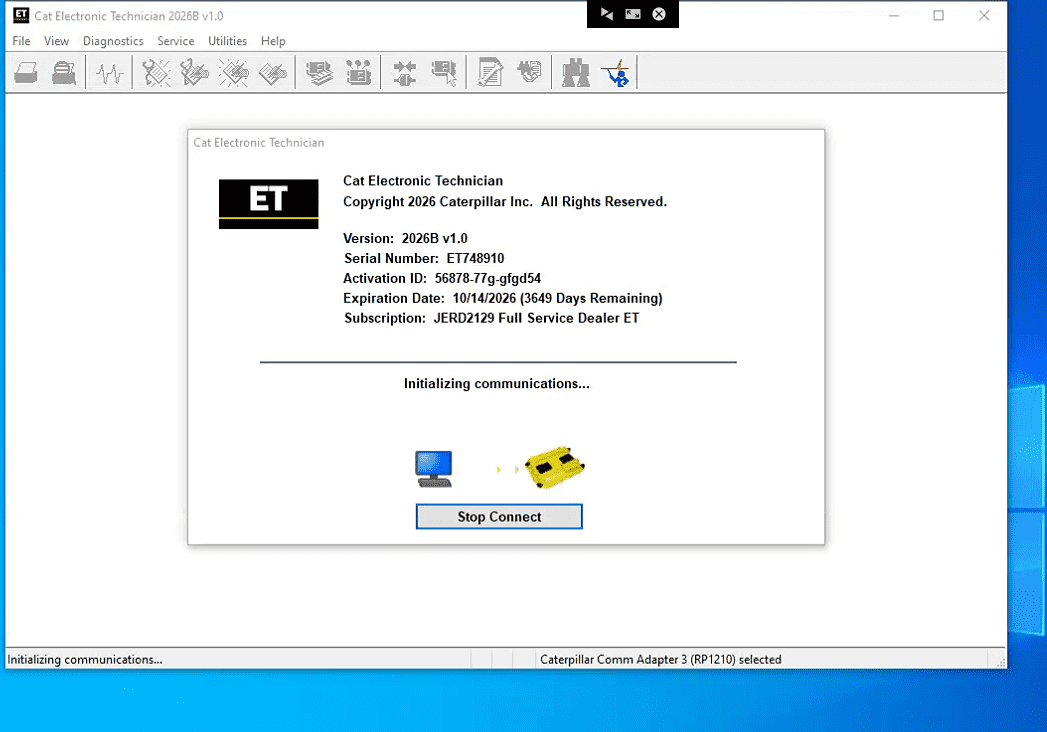
2026B Caterpillar Electronic Technician software With CAT ET 3 Cat caterpillar adapter 3 support caterpillar diagnostic till 2026.
CAT ET 3 Software and Package Options

The Autonumen product page currently lists CAT ET 2019C and 2026B options, along with selected laptop bundles.
Contents vary by package, so check the current product listing before ordering.
| Listed package option | Details to confirm |
|---|---|
| CAT ET 3 with 2019C software | Software delivery format, installation requirements, and compatibility |
| CAT ET 3 with 2026B software | Remote installation arrangements, activation conditions, and supported configuration |
| CAT ET 3 with Lenovo X230 laptop | Included laptop, CAT ET software, and listed CAT SIS 2023 software |
| CAT ET 3 with Lenovo T450 laptop | Included hardware, software, and installation arrangements |
| CAT ET 3 with Panasonic CF19 laptop | Laptop condition, included software, and package contents |
| CAT ET 3 with Panasonic FZ-G1 tablet | Tablet configuration and included diagnostic software |
The versions shown above describe the seller’s listed options, not a guarantee that they are the latest official Caterpillar releases. Confirm the software version and requirements for your intended use.
Why Diagnostic Cable Compatibility Matters

The product listing describes Wi-Fi connectivity and cable options for different diagnostic connections, including 9-pin and 14-pin configurations.
The correct cable depends on the machine’s diagnostic connector and communication system. A connector that fits physically does not guarantee the adapter can communicate with the target ECM.
Before connecting the equipment, check:
- The machine model and serial number or product identification.
- The engine and ECM configuration.
- The diagnostic connector fitted to the machine.
- The cable supplied with the selected package.
- The adapter’s supported communication interface.
- The software version and required diagnostic functions.
Never connect power or data pins based only on a connector’s appearance. Use the applicable wiring information and service documentation.
Example CAT ET Software Screens
The following images illustrate the types of software screens shown in the product listing. The machine and ECM information displayed in an example image does not establish compatibility with every Caterpillar model.
Example ECM summary interface. Available fields and data depend on the connected controller and software configuration.
Example equipment selection interface. Confirm the required machine and ECM coverage before purchase.
Leave a Reply